HTML WYSIWYG Designer
<%=ConfigurationManager.AppSettings["SS"]%> includes a full-featured HTML WYSIWYG Designer tab that lets you edit XHTML content visually — no knowledge of HTML syntax required. Simply type, format, and arrange content as you would in a word processor, and <%=ConfigurationManager.AppSettings["SS"]%> generates clean, well-formed XHTML output automatically. The HTML Designer is fully integrated into the <%=ConfigurationManager.AppSettings["SS"]%> X16 XML Enterprise Suite, sharing the same workspace as the Text, Tree, Grid, and Schema editing tabs.
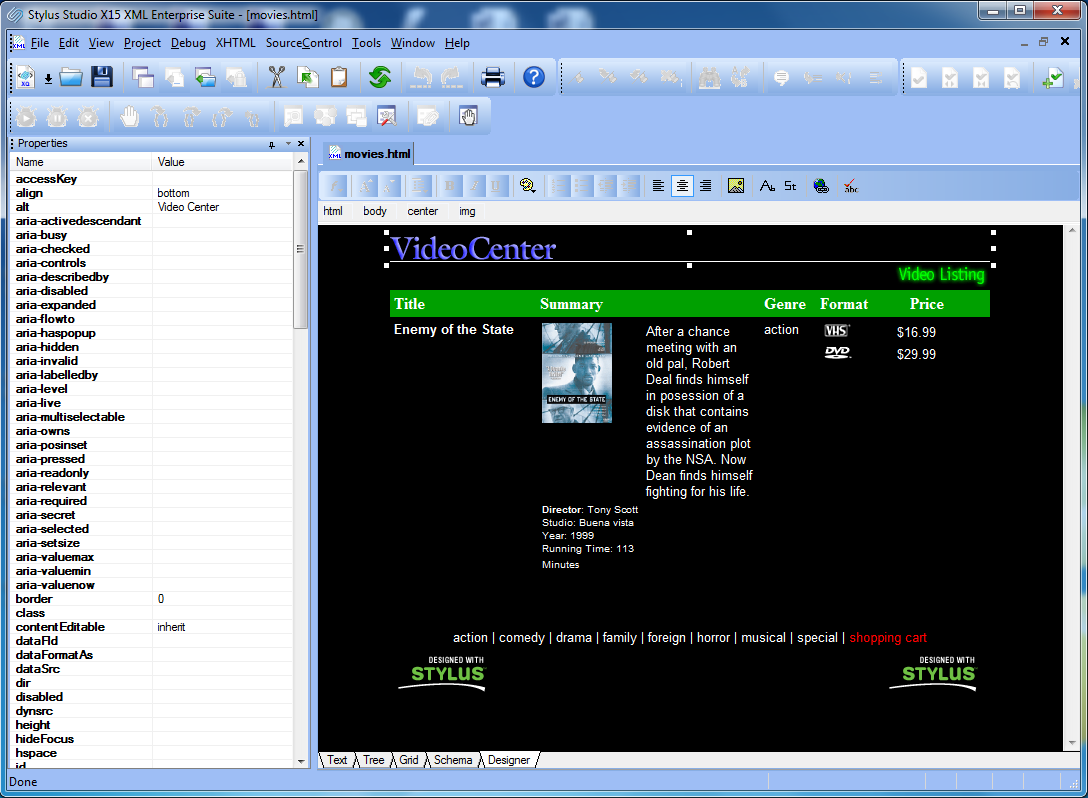 (click to enlarge HTML Designer Canvas)
Well-Formed XHTML — Not Just HTML
Unlike generic HTML editors, <%=ConfigurationManager.AppSettings["SS"]%>'s HTML Designer works exclusively with well-formed XHTML. This is a critical distinction: every document edited in the Designer is valid XML at all times, meaning it can be processed by any standard XML pipeline, queried with XPath, or transformed with XSLT — right alongside your other XML documents. The Designer enforces proper nesting, mandatory closing tags, and attribute quoting rules automatically, so the content you produce is always standards-compliant and reusable.
Synchronized Editing Views
The HTML Designer is one of five synchronized editing tabs in <%=ConfigurationManager.AppSettings["SS"]%>. Switch between views at any time without losing your place — every change made in one view is immediately reflected in all others:
- Designer (WYSIWYG) — Visual, drag-and-drop editing of your XHTML document. Format text, insert tables and images, and arrange content without writing a single line of code.
- Text — Full-featured source editor with syntax coloring, code completion (Sense:X), and line-level editing for power users who prefer direct markup control.
- Tree — A collapsible node tree that lets you inspect and navigate the document structure, select elements, and modify attributes directly.
- Grid — Spreadsheet-style editing of element content and attributes — ideal for structured tabular data.
- Schema — Validates and displays the document against an associated XML Schema or DTD.
This multi-view architecture means you can design a layout visually in the Designer, then switch instantly to Text view to fine-tune a CSS attribute or XPath expression — all within the same document session.
Designer Toolbar
The Designer Canvas toolbar puts the most common XHTML authoring actions a single click away. Key toolbar groups include:
- Text Formatting — Bold, italic, underline, strikethrough, superscript and subscript, foreground and background color pickers.
- Block Formats & Alignment — Paragraph styles (H1–H6, pre, blockquote), left/center/right/justify alignment, indentation controls.
- Lists — Insert ordered and unordered lists; promote and demote list items with a single click.
- Tables — Insert, resize, and format HTML tables — including row/column insertion and deletion — without touching markup.
- Images — Embed images with automatic alt-text prompting; resize and reposition by dragging handles on the canvas.
- Form Elements — Insert input fields, buttons, checkboxes, radio buttons, select boxes, and textareas to build XHTML forms visually.
- Links — Create and edit hyperlinks with the integrated link dialog; supports internal anchors, external URLs, and mailto links.
- Spell Checking — Integrated spell checker that operates on visible text content only, leaving underlying markup untouched.
Breadcrumbs Navigation
The Breadcrumbs toolbar at the bottom of the Designer Canvas displays the full element hierarchy for
whatever is currently selected — for example, body > table > tr > td > p.
Clicking any ancestor in the breadcrumb trail immediately selects that element, making it easy to target
and edit invisible or otherwise hard-to-select elements such as borderless tables, wrapper
<div> containers, or nested spans. If you are proficient in HTML, the Breadcrumbs toolbar
is an indispensable precision navigation tool.

Properties Panel
Selecting any element on the canvas opens the Properties panel, which lists every standard attribute for that element type alongside its current value. Edits made in the Properties panel are applied to the document in real time — the canvas updates immediately as you type. The Properties panel supports both standard HTML attributes and inline CSS properties, giving you precise visual control without having to switch to source view.
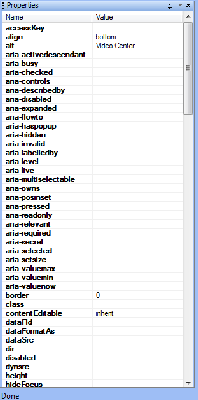 |
Edit Any Attribute DirectlyFrom |
Integrated Spell Checking
<%=ConfigurationManager.AppSettings["SS"]%>'s built-in spell checker scans the visible text content of your XHTML document without interacting with the underlying markup. Misspellings are underlined on the canvas exactly as they appear in a modern word processor. The dictionary can be extended with domain-specific terms, product names, and abbreviations, so the spell checker stays relevant to your content over time.
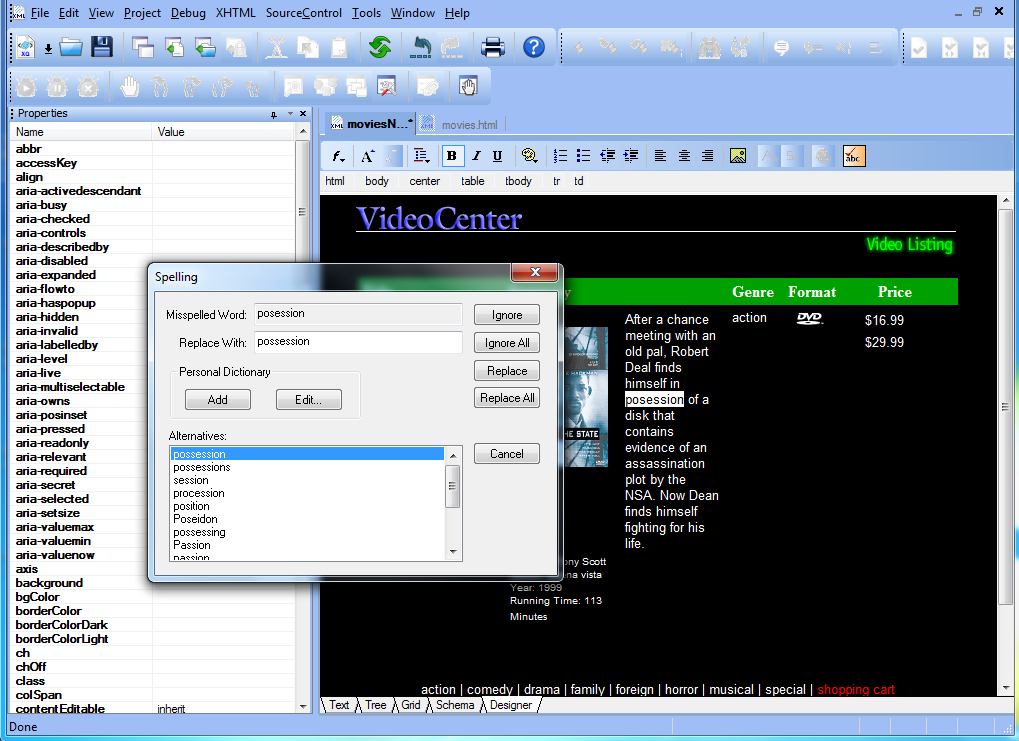 (click to enlarge)
Clean, Well-Formed XHTML Output
Every document saved from the HTML Designer is valid, well-formed XHTML — no proprietary markup, no redundant font tags, no broken nesting. The output is lightweight enough to render in any modern browser and standards-compliant enough to feed directly into any XML processing pipeline. Because <%=ConfigurationManager.AppSettings["SS"]%> enforces well-formedness at the document model level (not as a post-processing clean-up step), you never end up with silently malformed output.
<%=ConfigurationManager.AppSettings["SS"]%>'s HTML WYSIWYG Designer is the only visual HTML editor built from the ground up for XML developers — producing genuine, well-formed XHTML that integrates seamlessly with the rest of your XML workflow.