Visual DTD Editor
Struggling with how to create a DTD? <%=ConfigurationManager.AppSettings["SS"]%> is the only XML IDE to include a built-in Document Type Definition (DTD) editor. An example of a DTD being edited in <%=ConfigurationManager.AppSettings["SS"]%> is illustrated here:
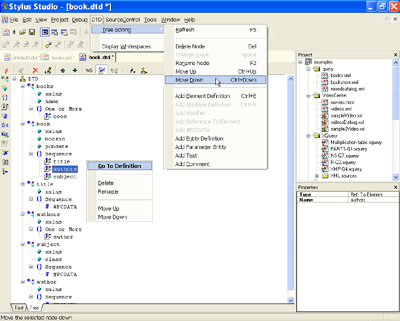
Creating a DTD in Stylus Studio
DTD development in <%=ConfigurationManager.AppSettings["SS"]%> is easy: to create DTD files, just click File > New > Document Type Definition, and you're ready to start designing your new dtd file.
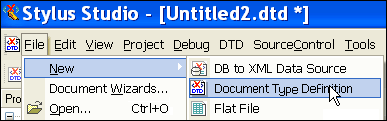
DTD Viewer
<%=ConfigurationManager.AppSettings["SS"]%>'s DTD editor displays a DTD's structure as a tree diagram, alowing you to easily view any DTD. XML elements, such as books, book, and title in the following illustration, are denoted by a small tree icon (three connected blocks). XML attributes, such as xmlns, bookid, and pubdate, are denoted by a teal rectangle icon. XML element references, such as the child elements title, authors, and subject, are denoted by the tree icon described earlier. Element reference icons also contain a small diagonal arrow to identify the fact that the definition for the reference element's content model is defined elsewhere. You can easily display the global element's definition from the element reference's short-cut menu (right-click to display).
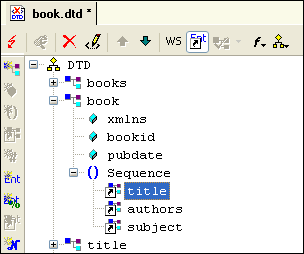
Refining the DTD model
Adding XML elements, attributes, general and parameter entities, comments, and notations are done by clicking on the icons on the DTD Editor toolbar. Defining a DTD is simply a matter of using the DTD designer to define your tree structure.
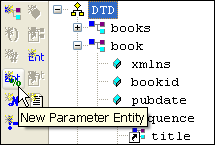
DTD Syntax
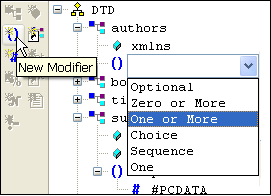
You'll never forget DTD syntax with the Stylus Studio DTD editor — DTD modifiers (choice, sequence, optional, and so on) can be added by clicking the Add New DTD Modifier button on the DTD Editor toolbar. A combo-box displays the list of available modifiers — writing a DTD has never been easier.
Editing DTD Properties
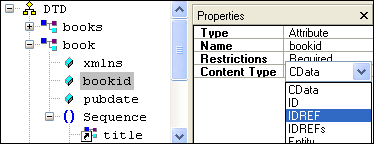
A context-sensitive Properties window displays information pertaining to the currently selected DTD node. In the case of XML attributes, properties include attribute type, attribute name, attribute restrictions, and attribute content type. In the case of XML elements, the properties include element name, element type, and element content model. By clicking on a property in the Properties window, <%=ConfigurationManager.AppSettings["SS"]%> provides a list of valid tokens such as CDATA, IDREF, IDREFs, Entity, NMToken, and so on, further simplifying DTD editing.
Intuitive DTD Editor
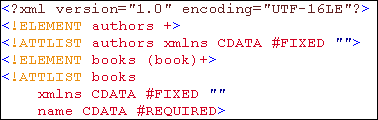
<%=ConfigurationManager.AppSettings["SS"]%>'s DTD Editor supports synchronized, two-way DTD editing, which allows you to edit the DTD using the text or visual editor. Changes you make in one editor are always reflected in the other — you can switch editors whenever you choose, without losing information, and without needing to manually refresh the view.
 " border="0" width="378" height="120"/>
<%=ConfigurationManager.AppSettings["SS"]%>'s DTD Editor is a powerful tool for building and editing any XML DTD — Learn how to simplify DTD creation by Downloading a free trial today!