Transforming Non-XML documents with XML tools
Stylus Studio Presentation at Exchange 2005
Each year since 1987, Progress Software Corporation (PSC) in cooperation with its customers has presented a user conference.
Speaker Bio: Tony Lavinio, now a Principal Software Architect at DataDirect Technologies, a subsidiary of PSC, has presented at many of these conferences, from the first one in Hyannis, MA back in 1987, to the most recent held in Orlando, FL.

The session he presented this year was Transforming Non-XML Documents with XML Tools.
We're pleased to announce that the slides, audio portion, and samples of code of this are now available on the Stylus Studio website.
Abstract
Although XSLT and XQuery are adept at handling XML documents, much of the information in an enterprise is not in XML format. During this session we'll demonstrate some of the tools in Stylus Studio that can be used to build adapters for transforming non-XML documents to use both within Stylus Studio and in external applications, especially ones built with OpenEdge.
Audio
The audio of the one-hour session has been divided into six portions available as MP3 files:
 | Part 1 of 6 | 10:09 | (9520K) |
| Part 2 of 6 | 10:06 | (9472K) |
| Part 3 of 6 | 09:52 | (9264K) |
| Part 4 of 6 | 10:03 | (9426K) |
| Part 5 of 6 | 10:00 | (9390K) |
| Part 6 of 6 | 06:39 | (6236K) |
Slides
The slides are available in PowerPointŪ 2002 format here.

Sample Files
The sample files can be downloaded in .zip format here. Note that to use them, you will need a deployment for <%=ConfigurationManager.AppSettings["DDXC"]%>. For more information, please contact us.
| bikes.dat | The file used to demonstrate Convert-to-XML on fixed-width records. |
| EXCHANGE.conv | The adapter for the EDIFACT input. It should be moved into the local equivalent of C:\Program Files\Stylus Studio XML Professional Edition\Adapter. |
| EXCHANGE.csv | The CSV file that contains a format similar to the one we want to map to. |
| EXCHANGE.edi | The pseudo-EDIFACT document used to demonstrate EDI-to-CSV mapping. |
| EXCHANGE.p | The Progress OpenEdge 4GL program that reads in the parsed EDI. |
| EXCHANGE.xml | Used for input of EXCHANGE_1.java below. |
| EXCHANGE.xsl | EDI to CSV transformation XSLT. |
| EXCHANGE_1.java | A plain JAXP class to perform XSLT on initial XML. |
| EXCHANGE_2.java | The same as #1, but using an adapter to execute XSLT on EDI. |
| EXCHANGE_3.java | The same as #2, but using adapters for both input and output. |
| INVOIC_D96A.edi | The file used to demonstrate the native EDIFACT adapter. |
Stylus Studio Exhibit Hall Booth
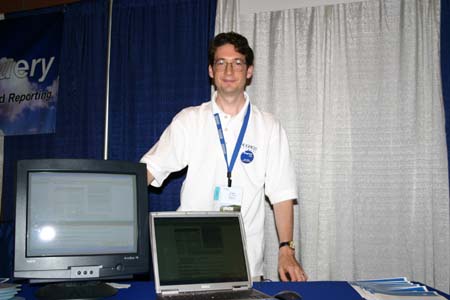
Yep, that's Tony :)