XML Project Window
<%= ConfigurationManager.AppSettings["SSV"] %>'s Project Window allows you to easily organize your project's files. <%=ConfigurationManager.AppSettings["SS"]%>s' project metaphor also supports integration with many industry-standard source control repositories, including Microsoft Visual Source Safe, ClearCase, and CVS. It also supports universal file access (through WebDAV, FTP, etc.), enabling you to work with files anywhere on the network.
Visually Organize XML Files
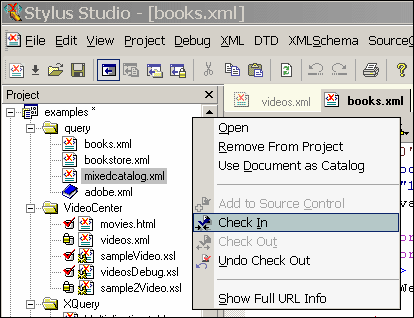
<%= ConfigurationManager.AppSettings["SSV"] %>'s Project Window is an intuitive, visual feature for organizing files belonging to a project. It supports different file-type icons and nested folders; many helpful options are available from the context menu.
Source Control Integration
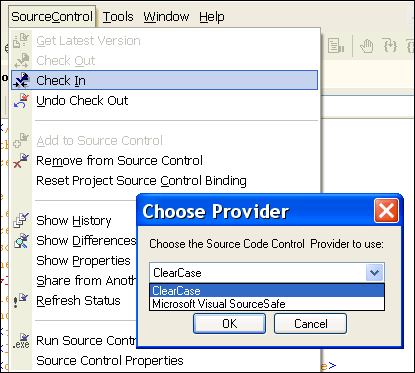
Use <%= ConfigurationManager.AppSettings["SSV"] %> in conjunction with industry leading source code repositories and servers, including Microsoft Visual Source safe, ClearCase, and CVS. Easily check-in/check-out, get the latest version, undo-checkout, and add/remove from source control.
Universal File System Access
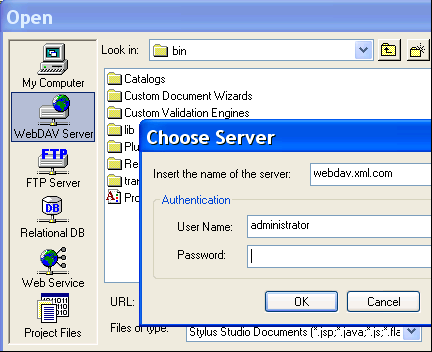
<%= ConfigurationManager.AppSettings["SSV"] %>'s File Explorer provides pluggable data-access and file system abstraction layers. The data-access abstraction layer give access to files anywhere on the network via WebDAV or FTP — the same way that you would access files on the local file system. A file system abstraction layer allows you read and write to external data sources, such as Web Service Calls and relational data in the same way that you might read and write to a file on the local file system. This powerful functionality is exposed through an extensibility API, enabling ISVs to create a <%=ConfigurationManager.AppSettings["SS"]%> plug-in.
New Project Wizard
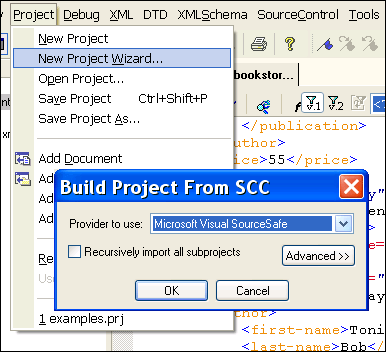
It's easy to get <%= ConfigurationManager.AppSettings["SSV"] %>'s Project Window up and running with your existing software projects. To get started, just use the New Project Wizard, which connects to a source control server and automatically creates a project file based on its contents!
<%= ConfigurationManager.AppSettings["SSV"] %>'s Project Window allows you to organize files residing locally or anywhere on the network, in a way that is easy, intuitive, and integrated with various source control servers. process.