XSD Documentation Generator
<%=ConfigurationManager.AppSettings["SS"]%>'s XSD Editor includes an integrated XSD documentation generator, allowing you to easily publish XML content models defined in XSD in a convenient, HTML format. By automatically generating HTML documentation about your XML data model, you can be sure that your XML data model and documentation will always be in-synch. A screenshot of the XSD documentation generator is illustrated here:
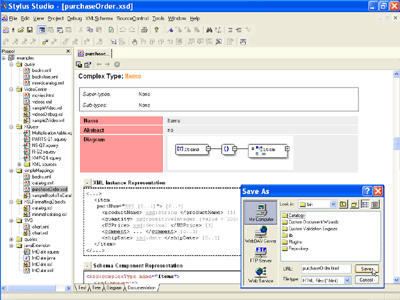 (click to enlarge)
Support for Both XS3P and XSDDoc Layouts
Stylus Studio's XSD Documentation generator supports the automatic generation of XSD documentation using either the xs3p or xsddoc templates. The default schema documentation layout is xsddoc — it's very similar to JavaDoc, and is recommended for larger XML data models. To change the default settings, select "Tools" > "Options" > "Module Settings" > "XSD Editor" > "Documentation Style".
<%=ConfigurationManager.AppSettings["SS"]%>'s XSD documentation generator is yet another handy productivity enhancer that simplifies XML development tasks.