Home >Online Product Documentation >Table of Contents >How to Create an XML Publisher Report
How to Create an XML Publisher Report
To create an XML Publisher report:
1. Select File > New > XML Report from the Stylus Studio menu.
The XML Report Format dialog box appears.
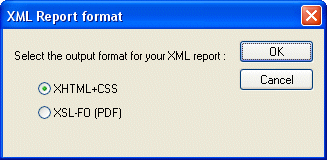
2. Select the desired report format (HTML or PDF) and click OK.
An untitled .report document is opened in the XML Publisher.