Home >Online Product Documentation >Table of Contents >Searching for Referencing Nodes
Searching for Referencing Nodes
You can use the Find References feature to find all the constructs that reference a definition you select in the XML Schema diagram. You can search for references to
In addition to the current XML Schema, Stylus Studio searches any included or imported XML Schemas for references.
Search Results
Search results are displayed in the Output window, as shown in Figure 289. Information in the result includes
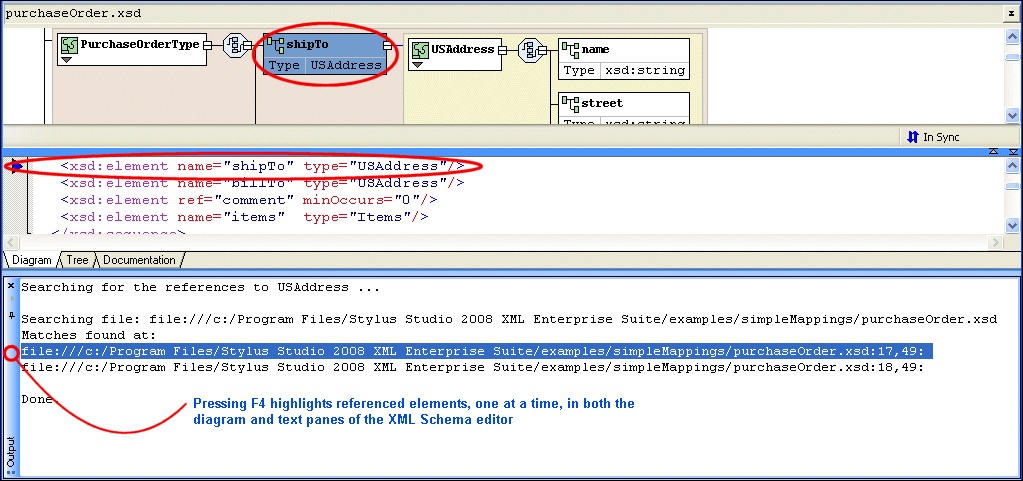
Pressing F4:
Pressing F4 again repeats this action for the next search result.
To search for referencing nodes in an XML Schema:
1. Select the XML Schema node for which you want to find referencing nodes.
2. Right-click, and select Find References from the shortcut menu.
Alternative: Select Diagram > Find References from the Stylus Studio menu.