Home >Online Product Documentation >Table of Contents >Tool Bar Groups
Tool Bar Groups
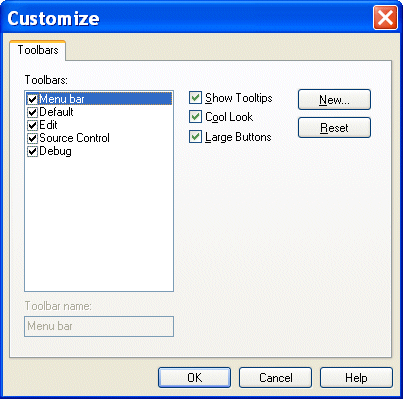
Tool bars are organized by functional group within Stylus Studio (Default, Edit, Source Control, and so on). Customizations available for these groups include
You control all these customizations from the Toolbars tab of the Customize dialog box.