Home >Online Product Documentation >Table of Contents >Modifying a SOAP Request
Modifying a SOAP Request
When you select a WSDL from the Result field in the UDDI Browser and click OK, the operations exposed by the Web service are displayed in the Stylus Studio Web Service Call Composer.
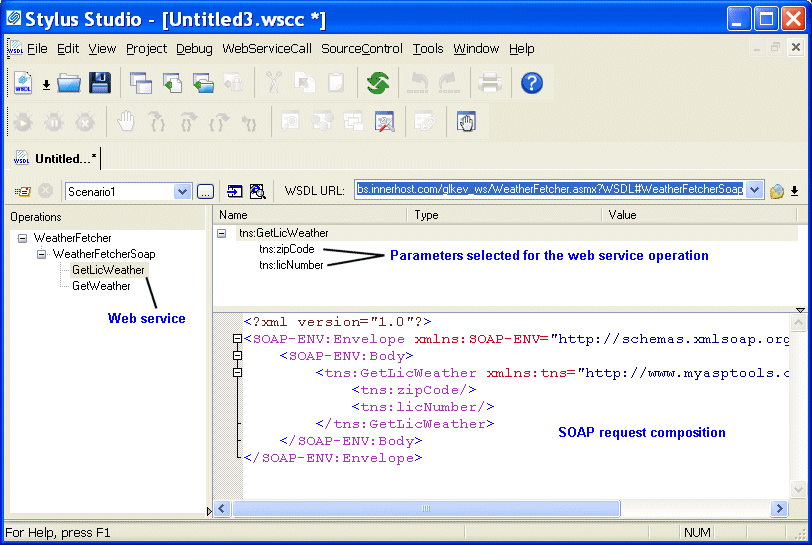
When you select an operation from the Operations pane, Stylus Studio displays
- Parameters associated with that operation, including their datatype and a field in which you can enter a value for testing purposes.
- The XML that describes the SOAP request associated with that operation. You can edit the SOAP request, but for initial testing you should restrict changes to providing parameter values, and you can use the parameter's Value field for this purpose.