Home >Online Product Documentation >Table of Contents >Creating a Template That Matches the book Element
Creating a Template That Matches the book Element
This topic is part of a sequence that starts with Creating a New Sample Stylesheet.
The template that matches the root node includes an xsl:apply-templates instruction that selects book nodes for processing.
To define the template that matches the book element:
Stylus Studio creates a template that matches the book element. The new template is near the end of the stylesheet and has the form <xsl:template match="book">. In the tree pane, the yellow check next to the book element indicates that there is a template that matches this element.
Press F5 to see the results. The result document looks like that shown in Figure 232:
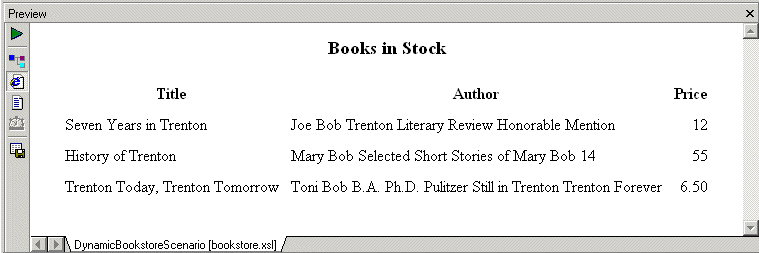
In the book template, the xsl:apply-templates instructions cause the XSLT processor to instantiate the default templates. For the title and price elements, this works correctly because those elements include only a text node. But for the author element, the use of the default templates copies too much information to the result table. You need to explicitly define a template for the author element.