Home >Online Product Documentation >Table of Contents >Viewing Templates
Viewing Templates
Stylus Studio provides different ways to display lists of templates, specific templates, as well as ways to see if a given template generates any output.
Viewing a List of Templates
To view a list of the templates in the stylesheet
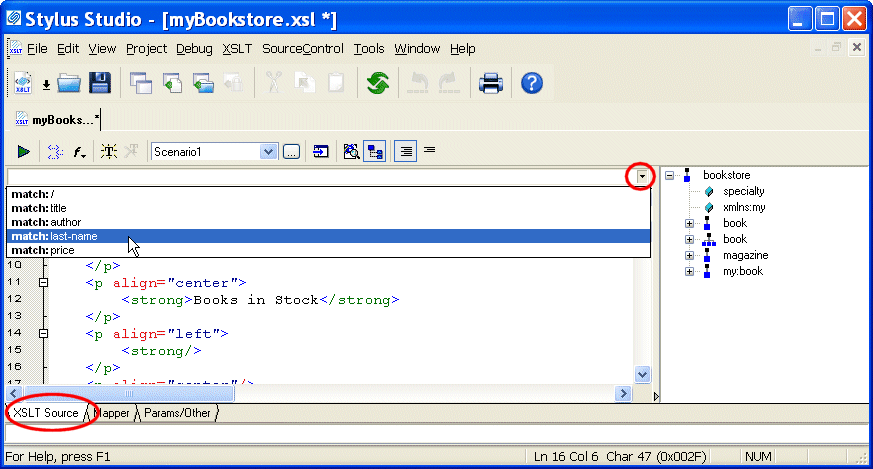
Stylus Studio displays a drop-down list of the first five match patterns in the stylesheet. To limit the displayed list, type in the combo box to the left of the down arrow. Stylus Studio displays only those patterns that match the character(s) you typed.
Note
|
| A particular template might or might not have a match pattern (template rule). Named templates do not necessarily specify match patterns. |
 mode or Template
 mode.
mode.
Viewing a Specific Template
To view a particular template, double-click its matching element in the XML tree view, which is displayed to the right of the editing pane. If the element has more than one template, Stylus Studio displays a list of the templates. Click the one you want.
Checking if a Template Generates Output
To see if a particular template generates any output:
 to apply the stylesheet.