Home >Online Product Documentation >Table of Contents >How to Create a Named or Matched Template
How to Create a Named or Matched Template
To create a named or matched template:
1. Right-click the XSLT mapper canvas.
2. Select Create Template > Named Template or > Matched Template from the shortcut menu.
Stylus Studio displays the Named Template (or Matched Template) dialog box. (The Named Template dialog box is shown in Figure 272.)
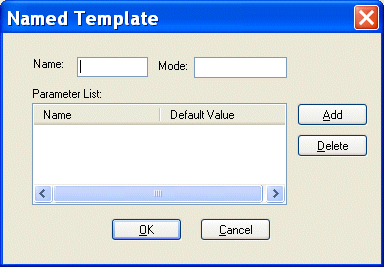
3. Enter a name and, optionally, a mode.
Tip
|
| You can use a mode to define the conditions under which a template will be applied by a stylesheet. |
4. Optionally, create one or more parameters:
a. Click the Add button.
The Name column becomes editable.
b. Type a parameter name and press Enter.
The Default Value field becomes editable.
c. Type a default value.
d. If you want to define another parameter, click ADD; otherwise, go to step 5.
5. Click OK to finish creating the template.