Convert DTD to XML
Often, and especially when building a complex document, it is useful to have a starting point. The "Convert DTD to XML" wizard can help by taking a source DTD and producing a sample XML file that matches.
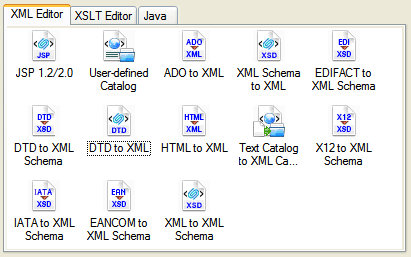
To use the DTD to XML tool, click File > Document Wizards. From there, choose the DTD to XML icon:
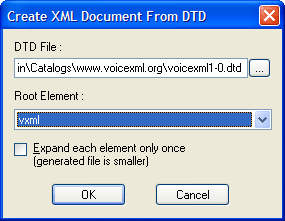
After selecting the wizard, a small dialog box comes up prompting you for the source DTD and the root element. Since DTD documents don't have an explicit way of stating which element in them is the root, you must choose one. For our sample VoiceXML file, it seems pretty obvious that <vxml> would be the root element.
And finally, <%=ConfigurationManager.AppSettings["SS"]%> produces the results for you. A portion of the generated XML for the VoiceXML file is shown here:
|
<?xml version='1.0' ?> <!DOCTYPE vxml SYSTEM "file:///c:/Program Files/Stylus Studio 2006 Release 3 XML Enterprise Edition/bin/Catalogs/www.voicexml.org/voicexml1-0.dtd"> <vxml application="" base="" lang="" version=""> <catch event="" count="" cond=""> <audio src="" caching="safe" fetchhint="prefetch" fetchtimeout=""> <audio src="" caching="safe" fetchhint="prefetch" fetchtimeout=""/> <enumerate> <audio src="" caching="safe" fetchhint="prefetch" fetchtimeout=""/> <enumerate/> <value class="" expr="" mode="tts" recsrc=""/> <break msecs="" size="none"/> <div type=""> <audio src="" caching="safe" fetchhint="prefetch" fetchtimeout=""/> <enumerate/> <value class="" expr="" mode="tts" recsrc=""/> <break msecs="" size="none"/> <div type=""/> <emp level="strong"> ...and so on |
After build the initial XML file, the Sense:X intelligent help and completion facility will enable you to continue generating valid XML.