XML Code Folding
XML documents are usually quite large, and to simplify working with them, Stylus Studio's XML editor provides XML code folding, a handy way to help you maximize the usage of your screen's limited real estate.
Expand and Collapse XML Document Trees
In the left margin of the Stylus Studio's XML editor, you'll find (+) and (-) boxes. To expand a node, click on the (+) icon, to collapse it, click on the (-) sign. The code which has been folded is represented as a '...' image in the XML source code, as illustrated here:
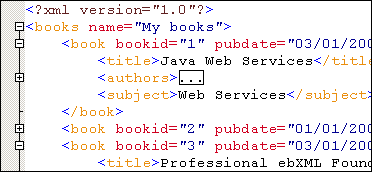
Preview XML Code Folding
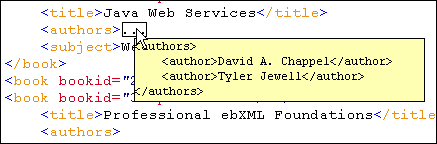
If you mouse over a region of folded code, Stylus Studio will let you see the contents folded XML code in a tool-tip window, as illustrated here:
Works with XSLT Editor, XQuery Editor, Java Editor, etc.
Stylus Studio's XML code folding feature also works in other Stylus Studio XML editing modules, including the XSLT Editor, XQuery Editor, Java IDE, JSP Editor, etc. For example, the following is an example of XQuery code folding:
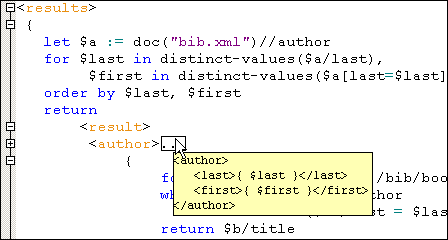
Folding XML Code helps developers make sense of potentially large XML documents.