Home >Online Product Documentation >Table of Contents >Specifying XML Converter Properties
Specifying XML Converter Properties
The EDI to XML module uses the DataDirect XML Converter engine to convert EDI documents to XML. You specify the properties you want the XML Converter engine to use for your EDI to XML conversion in the Select XML Converter Properties dialog box:
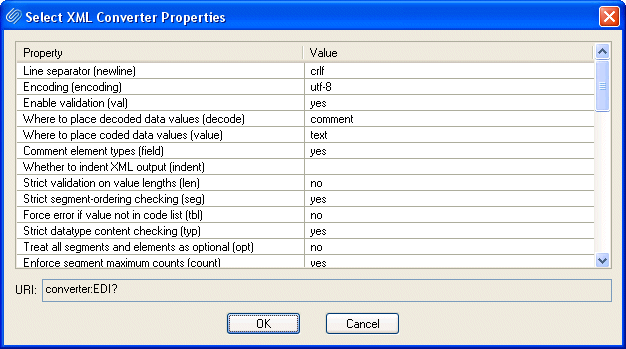
The settings you specify here are saved with the SEF file for your EDI to XML conversion and are displayed in the URI field (in converter:EDI URI scheme format) at the top of the EDI to XML editor.
To display the Select XML Converters dialog box:
Click the Edit Converter Properties button ( ) in the URI field.