Home >Online Product Documentation >Table of Contents >Deleting Links in Sample Files
Deleting Links in Sample Files
This topic is part of a sequence that starts with Opening the XSLT Mapper.
To delete links:
1. Click the Mapper tab if it is not already selected.
2. Click the
title to Title link to select it.
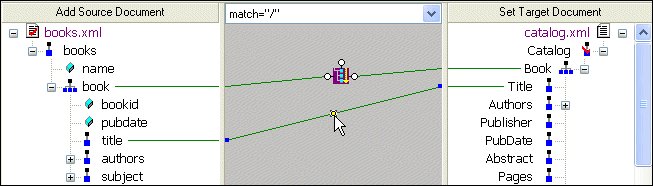
3. Press the Delete key, or
a. Right-click the selected link. This displays a shortcut menu.
b. Click Delete to delete the selected link.