Home >Online Product Documentation >Table of Contents >Example: Querying a Web Service
Example: Querying a Web Service
In this example, we'll use the ddtek:wscall function to query the Swanand Mokashi StockQuotes Web service.
To query the Swanand Mokashi Web Service:
For the target, we'll create a root node (right-click the Set Target Document pane and choose Create Root Element), and a child element, my_quote.
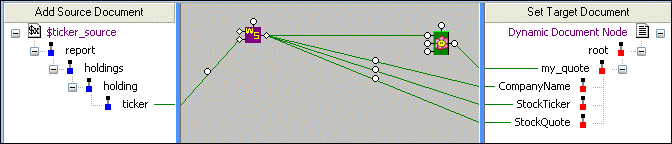
When we're done, our Mapper canvas looks like this:
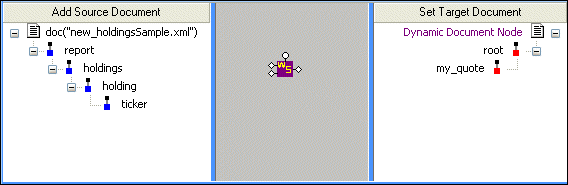
Now the document URL appears as $ticker_source, allowing us to easily substitute other source documents for use with this XQuery.
Stylus Studio specified location, payload, and output ports based on the Web service we used to create the wscall function block. (Double-click the ports to display this information.) However, not all of the values required to generate the output we need - the specific company stock ticker we want to look up, and what information about that stock we want Swanand Mokashi to provide - has been specified. We'll do that now.
ticker node from the source document to the tns:QuoteTicker node in the payload port information box.
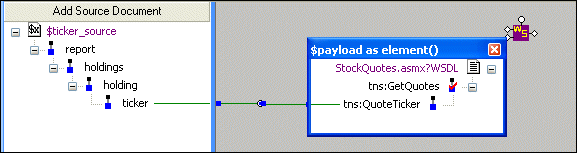
The Web service will be given the value of the ticker element from our source document when the XQuery is run.
Next, let's specify the information we want from the Swanad Mokashi Web service.
Right-click the Mapper canvas and choose FLWOR Block.
Stylus Studio adds a FLWOR block to the XQuery Mapper.
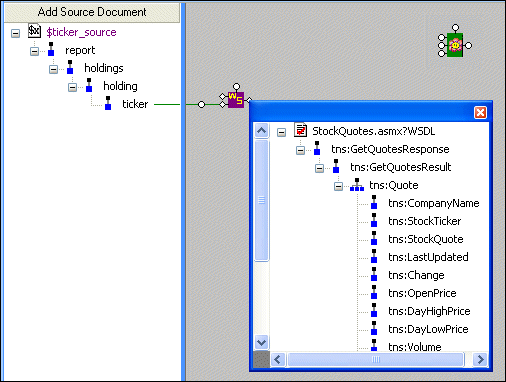
tns:Quote element to the for port on the FLWOR block.
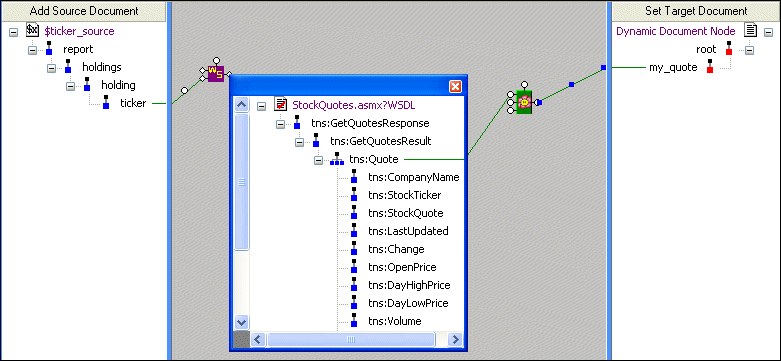
tns:CompanyName, tns:StockTicker, and tns:StockQuote Web service nodes, we do this drag-and-drop operation:
my_quote node in the target document.
tns: prefix, in the Name dialog box when the target document element is created.
When we're done with this step, our output mappings look like this:
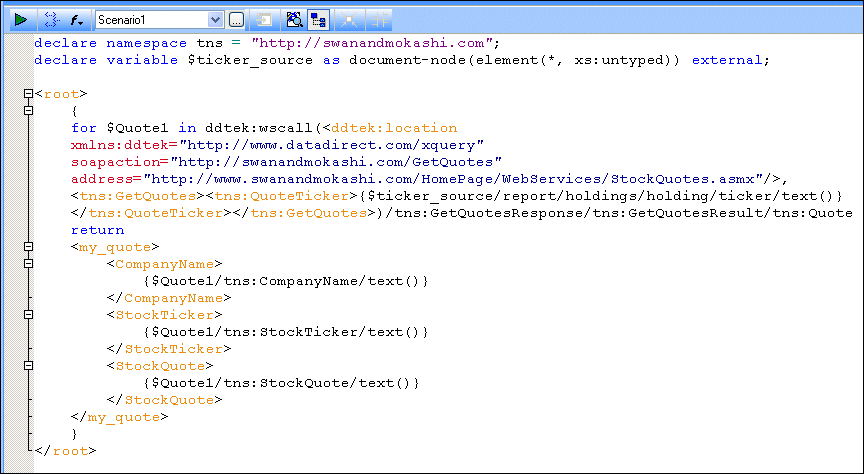
Sample XQuery Code
Here's the XQuery code that Stylus Studio created for us, based on the XQuery mapping:
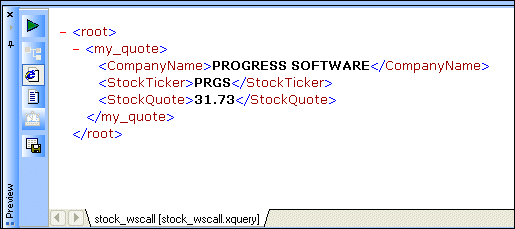
And when we preview the code, this is our result: