JSP IDE
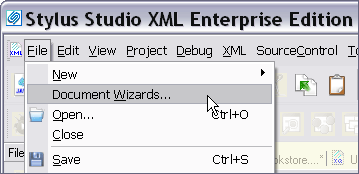
<%=ConfigurationManager.AppSettings["SS"]%> includes an Integrated Development Environment for JavaServer Pages (JSP IDE) module to help in building dynamic Web front-ends to XML driven Web applications. Creating a new JSP file using <%=ConfigurationManager.AppSettings["SS"]%>'s JSP IDE is easy, just select New > Document Wizards > JSP 1.0/2.0 as shown here:
Syntax coloring of HTML and Java Code inside JSP Scriptlets
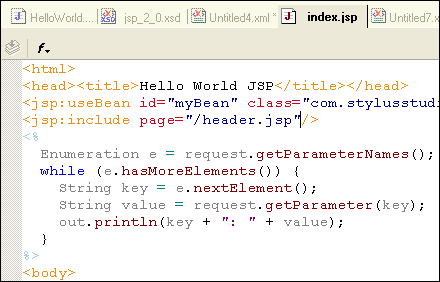
<%=ConfigurationManager.AppSettings["SS"]%>'s JSP IDE includes support for Syntax coloring of both HTML tags, as well as embedded Java code scriptlets. Notice how in the JSP scriptlet in the following illustration, Java reserved words (while, try, if, public, static, etc.) are in blue, objects are in grey, and methods in brown.
JSP Code Completion
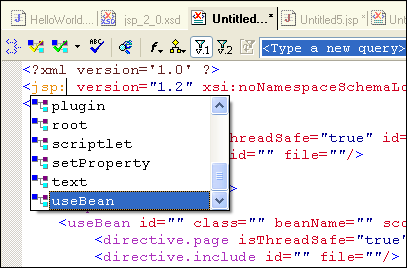
JSP technologies are XML based, and using the JSP XML Schema, in conjunction with our XML editor, <%=ConfigurationManager.AppSettings["SS"]%> supports JSP code sensing and auto-completion.
Powerful Related JSP Utilities and Editors
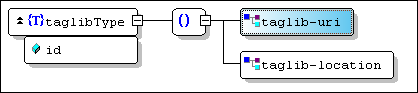
In addition to our JSP IDE, <%=ConfigurationManager.AppSettings["SS"]%> includes numerous other helpful XML and Web Development tools that are essential for any JSP developer, including our HTML-to-XML Converter, XSLT stylesheet designer, Java IDE, XML Schema Editor, etc. Shown below is an XML Schema for the JSP tag library specification, viewed in <%=ConfigurationManager.AppSettings["SS"]%>'s XML Schema Editor:
<%=ConfigurationManager.AppSettings["SS"]%>'s JSP IDE and related XML/XHTML development tools are helpful for building dynamic, server side java applications based on JavaServer Pages Technologies. Download a free trial now!
Next Java Development Feature: Full Support for Java XML Parsers & Processors