XML Operations
XML is a medium of interchange. As a result, there are a large variety of different XML operations you can
peform on XML documents, and Stylus Studio tools help you apply them. The XML Pipeline is a way to build applications out of these
various tools — just download Stylus Studio, do a File -> New -> XML Pipeline and drag and drop the different XML operators
from the toolbox (illustrated below) onto the XML pipeline editor's canvas and connect them together. As you can see,
Stylus Studio supports a large set of possible operations, and this tutorial will explain each one.
 |
||
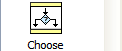
ChooseThe Choose block allows you to do conditional branching, based on matching XPath expressions. Any number of XPath expressions may be matched in a single Choose block, with each sending the output in a different direction. |
 |
|
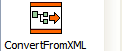
Convert From XMLData doesn't always come in as XML. When the XML Converters are involved, this block represents the conversion step from some non-XML format to XML. This includes the Convert to XML module, as well as the various native converters such as CSV and EDI. |
 |
|
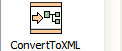
Convert To XMLJust as the input doesn't have to be XML, the output can also be sent through the converters to become a non-XML format. If your idea is to write specialized output such as one of the EDI standards including HL7, EDIFACT, EANCOM, IATA and X12. |
 |
|
HTML TidyWhen you are scaping web pages, typically the HTML isn't very clean. To convert incoming HTML to XHTML suitable for XQuery, XSLT and/or XPath navigation, we've provided the HTML Tidy block. HTML goes in, XHTML comes out. |
 |
|
PipelineTo support modularity and componentization, we allow you to build big pipelines out of little pipelines. This glyph represents an embedded pipeline. There is no specific limit on the nesting or size of nested pipelines. You can set breakpoints to see how the data looks coming in or going out of each node, and you can even step into nested piplines and even right into the XSLT or XQuery code being called. |
 |
|
Pipeline InputWhen you plan to embed a pipeline, a Pipeline Input block provides a port to which you can feed in data. You may have any number of input ports, and can distinguish them by name. |
 |
|
Pipeline OutputJust as you can name the inputs, you can name the outputs, and send the output from one step in as many directions as you want. Think of pipelines as little XML integrated circuits or building blocks. |
 |
|
 |
||
StopSometimes things go wrong. It's better that you handle them in a predicable fashion than processing continue with bad data. The Stop glyph acts as a destination that will halt the pipeline should it be reached. It can be used as the target of a failed Validation block, or reached by a conditional Choose block. |
 |
|
ValidateIf you want to make sure the data coming in conforms to some schema, or the data going out matches what you think you are writing, or even the data between steps is within some boundaries, the Validate block is what you need. You can assign an XML Schema document to this glyph, and the output will branch in one of two ways - passed or failed.t |
 |
|
WarningThe Warning glyph allows you to insert warning messages into the pipeline. For example, you could have a Choose block send a warning when a certain threshold or condition is reached. The pipeline will continue, but a message will be sent to the error handler. |
 |
|
XML ParserTo bring XML in, whether from the local file system, from HTTP or HTTPS, from FTP, from a callout to a Web Service, from a relational data source, or from a variety of other sources, you may use the XML Parser node. |
 |
|
XML SerializerWhen it comes time to generate XML output, this node represents the serializer. It has options to pretty-print (indent) the XML and set the output encoding. |
 |
|
XQueryWhether you need the schema-aware capabilities of Saxon-SA or the highly-tuned performance of DataDirect XQuery with its embedded JDBC drivers, the XQuery node serves as your launching point. |
 |
|
XSL-FOThe most common use of XSL-FO is to produce PDF output, and to do this <%= ConfigurationManager.AppSettings["SS"] %> includes both the Apache FOP open source engine and a license to the RenderX XEP personal edition engine. And the Publishing tool means you don't have to create the XSLT or XQuery to generate that FO, but we can do it for you. |
 |
|
XSLTThe XSLT block represents any XSLT transform. Both XSLT 1.0 and 2.0 are supported. If a breakpoint is set on an XSLT block, you can then step right in to the XSLT - which will open in another window, and continue right on debugging. |
 |
|
 |