Home >Online Product Documentation >Table of Contents >Active Scenario Is Previewed
Active Scenario Is Previewed
As you create new scenarios, they are listed in the Existing Scenarios field. The scenario selected in this list is the active scenario - when you preview the EDI to XML conversion, the active scenario is the one that is being run. You can specify a different active scenario by selecting it in this list, but it can be more convenient to select it from the Create Scenario from the scenario drop-down list on the EDI to XML editor tool bar:
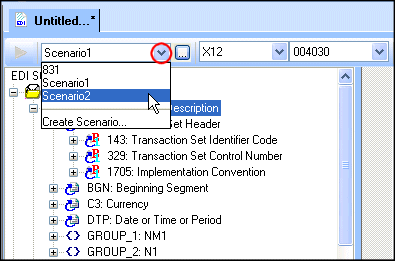
When you choose a new active scenario, Stylus Studio uses the EDI input and output URI specified in the scenario when you preview the EDI to XML conversion.