Home >Online Product Documentation >Table of Contents >Specifying a Target Structure
Specifying a Target Structure
There are two ways to specify an XQuery target structure:
- You can select an existing document from which Stylus Studio infers a structure and, optionally, modify the structure. Existing nodes in a target structure are displayed in blue. Nodes that you add are displayed in red. If a node is required by the associated XML Schema or DTD, a red check appears over the node symbol.
- You can build a structure from scratch, starting with the root element and defining other elements and attributes as needed. Nodes for target structures you define are displayed in red.
This section covers the following topics:
See Modifying the Target Structure to learn about the types of changes you can make to a target structure.
Using an Existing Document
To use an existing document to provide the XQuery target structure:
The Open dialog box appears.
The structure of the document you select appears in the target document pane of the Mapper tab.
Building a Target Structure
To build a target structure from scratch, you first create a root element, and then define child elements and attributes as needed.
How to create a root element
To create a root element:
The target document shortcut menu appears.
The Name dialog box appears.
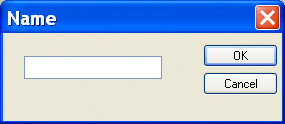
The root element you specified appears in the target document pane of the Mapper tab.
How to create elements and attributes
To create elements and attributes:
The target document shortcut menu appears.
The Name dialog box appears.
The node you specified is added to the target structure in the Mapper tab.